Death Journal
Death Journal keeps track of your character's PvP history and records your recent encounters with other players.
The system allows you to quickly review who defeated you, who you defeated, where the encounter happened and when the latest confrontation took place.
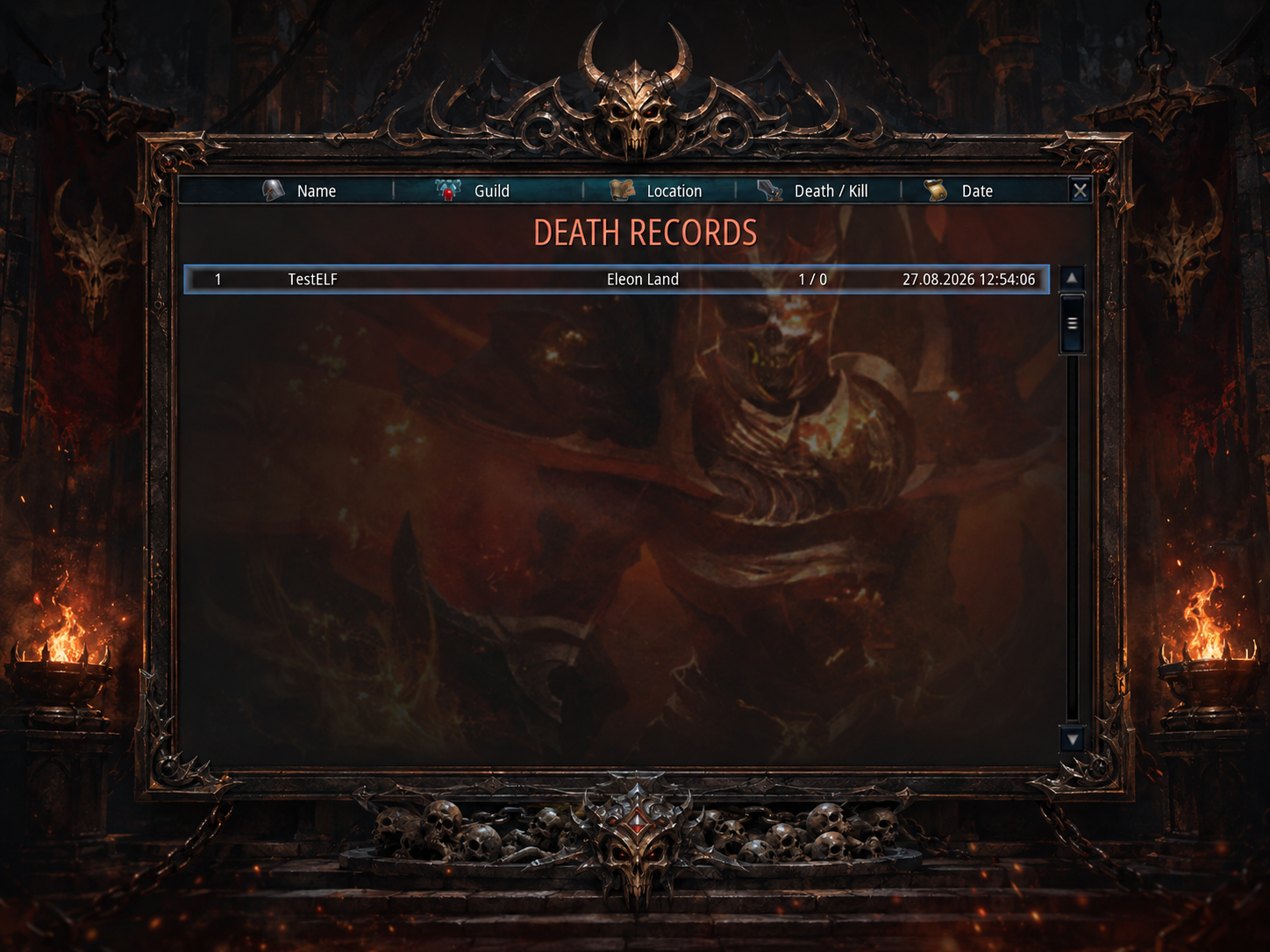
How to Open Death Journal
Open Utility Menu
Open the in-game Menu and click the Death Journal button.
Record Navigation
The journal displays a maximum of 10 records at the same time.
Use the scrollbar on the right side of the interface to view older PvP records.
Information Displayed
Record Number
Shows the position of the encounter inside the journal list.
Player Name
Displays the name of the opponent involved in the PvP encounter.
Guild
Displays the opponent's guild information.
Location
Shows where the latest confrontation with that player took place.
Death / Kill
Displays the total number of deaths and kills against that opponent.
Date & Time
Shows the date and time of the latest recorded confrontation.
Death / Kill
Deaths Against Player
Death shows how many times your character has been killed by the selected player.
Kills Against Player
Kill shows how many times your character has defeated the selected player.
Death and Kill values are stored separately for each opponent and continue to increase as additional PvP encounters are recorded.
How Records Are Organized
- Statistics are combined separately for every opponent.
- The latest confrontation is always displayed first.
- Only 10 records are visible at one time.
- Older records can be accessed using the scrollbar.
- Death and Kill values remain accumulated for each player.
Death Journal Configuration
Death Journal is controlled by the server configuration.
If the Death Journal button does not appear inside the Utility Menu, the system is currently disabled by the server configuration.